
Everything you need to build with voice.
In every language.
Easiest way to make studio-quality audio and video content full of emotion and expression, using realistic AI voices in 80+ languages with accents.
Voices you can direct with emotion, style, and accent
Emotional performance
Voiced by Maribel
Enbee V2 voices are multilingual. Direct the overall delivery, then add short inline expression tags where the performance should change.
Choose a narrator
Script
169 / 250 charactersTags to try: [laughs] [whispers] [sighs] [angry] [excited] [sarcastic]
One platform for text-to-speech, voice cloning, and audiobooks
Turn scripts, documents, and books into editable speech projects. Choose multilingual AI narrators, direct tone and accent, clone an approved voice, and export short clips or chapter-based audio at one place.
1500+ AI narrators
Pick voices for short clips, long-form narration, audiobooks, tutorials, demos, podcasts, and ads.
80+ languages and accents
Create localized voice content for audiences across regions, languages, and content formats.
CTRL + C → CTRL + V
Voice cloning
Clone your voice from 30 seconds of audio and create new speech without recording again.
Block-based studio
Split scripts, chapters, and documents into editable blocks. Generate, preview, revise, and export each section from one workspace.
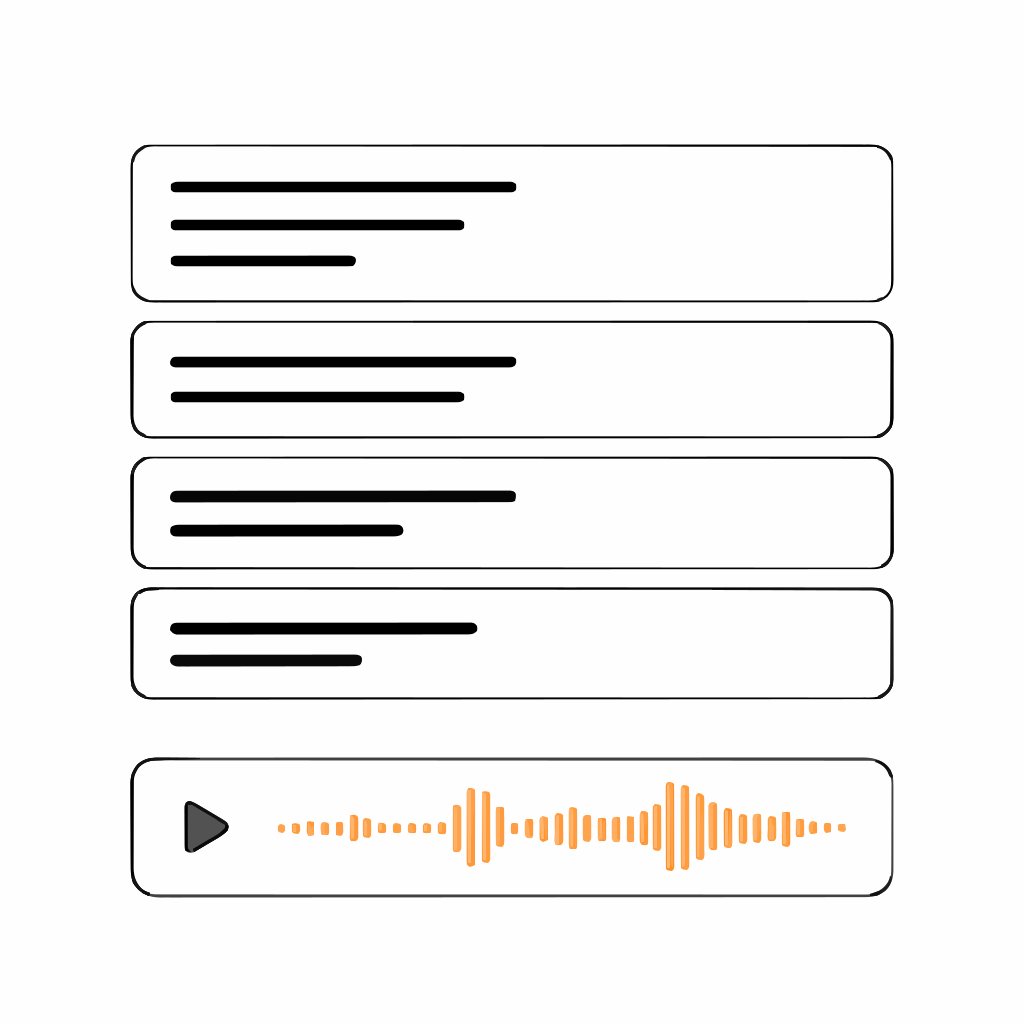
Emotion, accent, and language control
Control how Enbee V2 voices speak across emotion, accent, language, speed, pauses, and delivery style.



Audiobook Creator
Upload EPUB, PDF, or DOCX files and parse them into chapters. Edit paragraphs, assign narrators, regenerate passages after edits, and download chapter audio for your publishing workflow.
Create audio for every content format
Use AI voices, cloned voices, and multilingual narration for every format, audience, and style.
Application Context
E-Learning
Create course narration, training modules, tutorials, and lesson audio with consistent voices, clear pacing, and multilingual delivery.
Text to speech that follows the script
Turn plain text into directed speech with voices that follow context, emotion, pacing, pronunciation, and language changes. Use style instructions and inline expression tags to shape how each line is delivered.
Context aware
Our AI models are context-aware, allowing them to understand the text's context before hand and generate speech accordingly.
Emotive
Our AI models can exhibit emotion and expressive styles which can also be customized to your personal preferences.
Blazing fast
Blazing fast speech generation providing a super-fast response time that is easily usable for streaming and other real-time purposes.
Long form
Support for both short-form and long-form content without any rate or size limits, making it ideal for creating longer content without any hassle of batching.
Fine-tune
Fine-tune components of the voice, such as emphasis, prosody, rate, and more, to enhance the quality of speech output.
AI voice cloning
Create a reusable voice clone from a short audio sample or browser recording, then use it inside the studio to generate new speech from text.
Create a voice clone
Upload or record an approved voice sample, then save it as a reusable narrator for future projects.
Use your clone in the Studio
Assign the cloned voice to blocks, then add supported expression tags like [laughs], [sighs], [breath], and [gasps] where the delivery needs a cue.
Keep a consistent voice
Use the same approved voice across videos, courses, ads, audiobook chapters, and recurring client work.
Commercial-use projects
Create commercial-use audio from your own voice or a voice you have permission to use, based on your plan and rights.
Voice data stays protected
Use voice cloning with consent-first controls and safeguards built for private voice data.
Studio built for voice production
Create voiceovers, audiobooks, short and long-form narration in editable blocks, with voices, controls, previews, and exports in one place.

Block-based projects
Split scripts, chapters, and documents into editable blocks. Assign different voices, languages, accents, or speakers to each block.
Edit and regenerate
Revise text, change the voice, adjust delivery, and regenerate only the blocks that need updates.
Emotion & style control
Add inline emotion tags like [angry], [sad], [excited], or [whispering] to guide how Enbee V2 voices deliver each line.
Pauses & pacing
Add pauses from the dropdown or type pause tags directly in your script to control breaks, scene shifts, and narration rhythm.
Style instructions
Tell Enbee V2 voices how to deliver each section with instructions like whispering, excited, trembling, grunting, or calm.
Multi-format import
Write from scratch, paste text, import from a URL, or upload documents to turn existing content into voice projects.
Custom pronunciation
Save pronunciation rules for Enbee V1 voices so names, brands, acronyms, and technical terms are spoken the way you want.
Multi-format export
Export single files or split by blocks in MP3, WAV, Opus, FLAC, or OGG for editing, publishing, and production.
Multilingual voice AI
With AI voices in 80+ languages at your fingertips, localising and globalising your audience become a piece of cake.
AI voices for every format
Access over 1500 natural-sounding AI voices with lifelike cadence. Create content in 80+ languages with accents, powered by advanced machine learning.
Child Voices
Perfect for children's content, educational videos and storytelling
Local Accents
Localize your entertainment videos, adverts and audiobooks
Emotions
Perfect for immersive gaming, dynamic creative videos and compelling ads
Customer testimonials
See why creators, publishers, and teams rely on Narration Box for natural-sounding voice content.
"What I like about Narration Box is the quality of its multiple voices, which is very effective and clean. Unlike other text to speech platforms, the voices sound natural and do not have that robotic tone, especially when creating longer narrations. I also like the flexibility of choosing from a huge collection of available voices, languages, and regional accents, which made localization much easier. The editor and UI are simple to use, and the block-based workflow makes it convenient to assign different speakers, adjust pronunciations, and fine-tune pacing without redoing the entire project."

"The user-interface is great. Nice and simple without too many bells and whistles. The array of voices are also good, though some are definitely better than others. With that said, you can adjust the speaking pace for each voice, which does improve the flow, making voices seem less artificial. Also, the free plan is generous."

"The best part I like about Narration Box is that it supports multiple languages with multiple narrators. Even in my required language, that is Hindi, 7 accents are available (4 male and 3 female). I can adjust the speaking rate and style. The output created can be saved in different formats, though I need .wav mostly."
"Quality of voices and ease of use made Narration Box the perfect choice for my fiction podcast The Program. It's the only voice synthesis service that knew the difference between 'live frugally' and 'live broadcast' and that could pronounce Mar-a-Lago."

"The platform is easy to use, very intuitive, and at first glance, there are no unnecessary buttons or features. It is a positive that it allows you to import text from different sources, which saves you time and effort. A wide variety of voices and tones are available, as well as accents in different languages. Its free access is generous with features and word count."

"We've been using Narration Box for a while now, and are grateful to the team behind it! It allows us to create audio versions of our books and articles in many languages, within seconds. The generated audio sounds very natural and is almost indistinguishable from a real narrator. What an amazing service for creators, and it keeps evolving! I highly recommend it."

Been writing my novel (my 6th) and using Narration Box to create the voice over for Audible. The book, "The Next Minute," is a sci-fi comedy, and I found that Narration Box was the ONLY VO tool that Audible would accept for narration. I would do my own audio but I have purealexia (condition where I cannot read, but can write), so I cannot do my own voiceovers. I tried almost ever other text to speech tool and they had limits on length of voice, voices that did not sound realistic, or were exorbitantly expensive. Narration Box saved the day. I was able to publish my first audiobook on Audible, and I am now working on my second narrated novel. The people were super helpful when I had questions, and very willing to work with me on any issues I had. Highly recommended!!!!

FAQs
Frequently asked questions
Need help with something? Here are our most frequently asked questions.
What is text to speech (TTS)?
Text to speech (TTS) is a technology that converts written text into spoken audio. Narration Box lets you generate natural, humanlike speech in 80+ languages with accents, no mic or voice actor needed.
What is an AI narrator?
An AI narrator is a voice generated using artificial intelligence. Unlike basic robotic voices, Narration Box's AI narrators come with real emotions like whispering, excited, calm, or angry, making your content feel real.
Who uses Narration Box?
Narration Box is used by YouTube creators, course creators, product teams, authors, marketing teams, and anyone who wants to generate realistic voiceovers without recording their own voice.
Can I use Narration Box without any tech skills?
Yes. You don't need to know editing, scripting, or voiceover tools. Just paste your text, pick a voice, and click generate. You can even drag, rearrange, or add pauses, just like editing a doc.
Does Narration Box support long-form content?
Absolutely. There are no length limits, create 30-minute explainers, full-length audiobooks, or multi-speaker podcasts without breaking the flow or splitting into batches.
Can I use Narration Box for multiple languages?
Yes. Narration Box supports 80+ languages with accents, from Spanish and Hindi to Arabic and French. You can even mix languages within the same project.
Do the AI voices sound realistic?
Very. Our AI narrators include natural pauses, filler words like "umm" and "huh," and even emotional expressions, making them sound nearly indistinguishable from real humans.
Does Narration Box support voice cloning?
Yes. Narration Box now supports voice cloning, allowing you to create a lifelike AI version of your own voice in just minutes. You can use your cloned voice for audiobooks, podcasts, videos, courses, and mor scalable and consistent across any project.
Is there an API for developers?
Coming soon. Our upcoming API will let you integrate text-to-speech into your product, LMS, app, or automation flow, with full control over voice, rate, emotion, and output.
Can I use Narration Box for my team or organization?
Yes. We have team plans for businesses, agencies, and schools. If you need bulk usage, multiple seats, or white-label options, reach out to us.
Are discounts and promotions for everyone or only self-serve?
All promotional offers, discount codes, and special pricing apply exclusively to self-serve subscription plans. Discounts do not apply to enterprise plans, multi-license agreements, or custom contracts. For enterprise or bulk licensing inquiries, please contact our sales team directly. Any custom pricing must be explicitly agreed to in writing.
Enterprise Ready
Built for scale and enterprise
Get higher usage limits, team workflows, priority support, custom onboarding, and security controls for larger voice production needs.
- Custom SLAs for enterprise support
- Dedicated onboarding and priority resolution
- Early access to new features
- Higher-throughput API usage
- Role-based access for team seats
- Volume-based pricing to match your scale
- Custom usage limits and volume pricing
Secure-by-default
All content flows through encrypted channels
GDPR & Privacy Ready
We don’t train on or store user content
Low-latency TTS
Fast responses, globally distributed infra
Custom integrations
Need a custom setup or feature? We’ll make it work
Featured articles
Read the latest updates, opinions, tips + tricks and how-tos on our blog

EPUB/PDF to audiobook workflow (real steps)

How to Pass ACX Audio Requirements (Without a $5,000 Recording Studio)

AI Voiceover for Course Creators: Scale Teaching Without Burning Out

AI Voiceover Strategy for YouTube Topical Authority
Get Started with Narration Box Today
Choose from our flexible pricing plans designed for creators of all sizes. Start your free trial and experience the power of AI voice generation.
Join Our Discord Community
Connect with thousands of voice-over artists, content creators, and AI enthusiasts. Get support, share tips, and stay updated.
Join discord